













Betman Casino: Mobile Experience and Device Support
BetMan Casino Mobile App: Download Options for iOS and Android
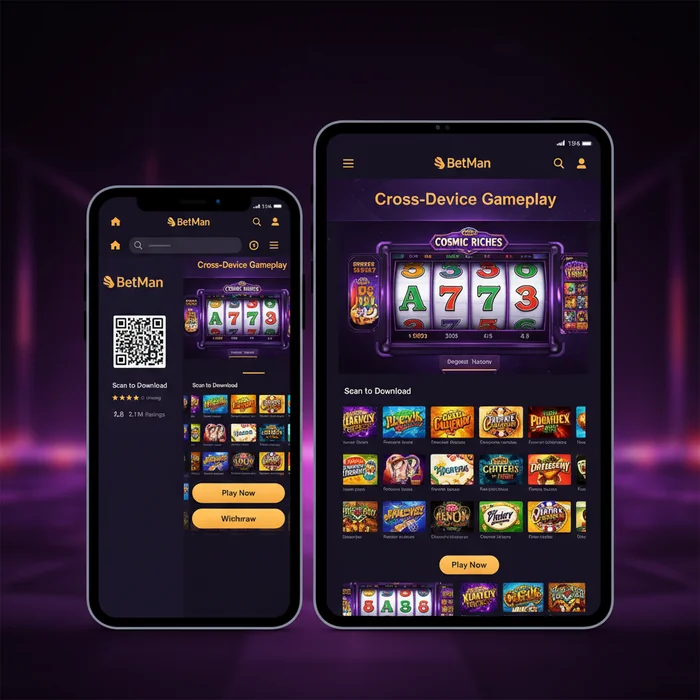
The BetMan Casino app puts our full casino platform — including deposits, withdrawals, live casino, sports betting, and daily chip claims — directly in your pocket. We've engineered both the iOS and Android versions to handle real-money transactions with the same security layer as our desktop environment, meaning your payment data travels through 128-bit SSL encryption regardless of which device you're on. That matters, because mobile payment habits are different: players tap-to-deposit quickly, often between sessions, and the app is built to support that workflow without friction.
One honest note upfront: the BetMan Casino mobile experience mirrors desktop in almost every functional area, but the APK installation on Android does require a manual step that iOS players don't face. We'll walk through both processes below so you know exactly what to expect before you start.
| Platform | Minimum Version | Download | App Size |
|---|---|---|---|
| iOS | iOS 13.0 or later | App Store | ~85 MB |
| Android | Android 8.0 (Oreo) | Direct APK from our download page | ~72 MB |
| Mobile Browser | Any modern browser (Chrome 90+, Safari 14+) | No download required | 0 MB |
| Tablet (iOS/Android) | Same as above per OS | Same as above per OS | ~85–90 MB |
| Windows Desktop | Windows 10+, any modern browser | Browser-based, no install | 0 MB |
How to Download the Android APK Directly From BetMan Casino
Because our Android app is distributed outside the Google Play Store, you'll need to permit installation from unknown sources — a standard Android security setting, not a red flag. Navigate to Settings → Security → Install Unknown Apps, then toggle permission for your browser. The entire process takes under two minutes on most Android 8.0+ devices.
Visit our dedicated download page on your Android device, tap the APK download button, and wait for the file (approximately 72 MB) to land in your Downloads folder. Open it, confirm the installation prompt, and the BetMan Casino icon will appear on your home screen. From there, log in to your existing account or head to our signup page to register as a new player.
- Enable "Install Unknown Apps" in your Android Security settings.
- Open betmancasino777.com/download in your mobile browser.
- Tap the Android APK button and confirm the download.
- Open the downloaded file and complete the installation prompt.
Installing the iOS Version From the App Store
BetMan Casino iOS users have a more straightforward path. Open the App Store, search for "BetMan Casino", and tap Get. The app weighs in at roughly 85 MB and installs within seconds on any device running iOS 13 or above — that covers iPhones back to the iPhone 6s generation and all iPad models released from 2015 onward.
Once installed, Face ID and Touch ID authentication are supported at the login screen, which is particularly useful when you're accessing the cashier quickly to make a deposit on the move. Apple Pay is available as a deposit method inside the iOS app, which is not a feature available on Android — a genuine advantage for iOS users managing their bankroll from their phone.
- Open the App Store on your iPhone or iPad.
- Search for "BetMan Casino" and select the official result.
- Tap Get and authenticate with Face ID, Touch ID, or your Apple ID password.
- Launch the app and log in or create a new account via our registration page.
Mobile Game Library: Accessing All 2000 Titles on Smartphone
Our full catalogue of 2,000 games is accessible through the BetMan Casino mobile app, with no titles locked to desktop-only access. The library spans pokies, live dealer tables, table games, video poker, and a fully integrated sportsbook — all navigable through the app's bottom-tab menu. Filtering by category, provider, or volatility level works identically to the desktop interface, which means you won't spend extra time hunting for a specific title just because you're on a smaller screen.
From a payment perspective, every game mode that requires a real-money deposit — including live casino seats with table minimums — is fully supported through the mobile cashier. You can fund your account, place a live blackjack bet, and request a withdrawal, all without leaving the app.
Pokies and Live Casino Performance on Small Screens
Pokies are, technically speaking, the best-suited game format for mobile play. Their vertical layouts, large spin buttons, and single-screen action translate cleanly to portrait mode on screens as small as 5.5 inches. The live casino section performs well on screens 6 inches and above; below that threshold, multi-camera live tables can feel cramped, and we'd honestly recommend the desktop version for extended live dealer sessions.
Three titles that our players consistently return to on mobile are Sweet Bonanza (Pragmatic Play), Book of Dead (Play'n GO), and Lightning Roulette (Evolution) — all of which load in under four seconds on a standard 4G connection and render at full resolution on Retina and AMOLED displays alike.
Live casino table minimums start at A$1 per hand on standard tables and rise to A$500+ on VIP rooms — the same structure as desktop. There's no mobile-specific table restriction, which is worth knowing if you're a higher-stakes player who prefers gaming on the move.
Sports Betting Features Available Inside the Mobile App
The sportsbook inside the BetMan Casino app covers major Australian and international markets: AFL, NRL, cricket, tennis, football (soccer), and esports, among others. In-play betting is fully functional, with odds updating in real time — the refresh latency on mobile is comparable to desktop when you're on a stable Wi-Fi or 4G connection.
Depositing before a live match is a common mobile use case, and the cashier is designed for it. Card deposits (Visa, Mastercard) process instantly, meaning funds are available for betting within seconds of confirmation. E-wallet deposits via Skrill and Neteller are equally instant. Crypto deposits — Bitcoin and Ethereum are accepted — typically confirm within one network confirmation, which varies by blockchain congestion but averages under ten minutes.
App Performance: Speed, Stability and Data Usage
We've optimised the BetMan Casino mobile app for low-latency performance across both Wi-Fi and mobile data environments. Lobby loading from a cold start averages three to five seconds on a 4G connection. Individual game launches — for standard pokies — typically take two to four seconds. Live casino streams require more bandwidth: expect roughly 1.5 MB per minute of streaming at standard definition, or 3 MB per minute at HD quality.
Push notifications are enabled by default after installation and serve two functions: alerting you to time-sensitive promotions (including app-only bonus drops) and notifying you when a withdrawal has been processed to your chosen method. You can customise notification categories inside the app's settings menu without disabling them entirely.
Minimum Device Requirements for Smooth Gameplay
The specifications include: Android 8.0 with at least 2 GB RAM for standard pokies, and 3 GB RAM recommended for live casino streaming. On iOS, any device running iOS 13 meets the baseline requirement, though older A9-chip devices (iPhone 6s, SE 1st gen) may experience occasional frame drops during HD live streams. Devices with A12 Bionic chips or newer handle everything without issue.
Storage-wise, the app itself occupies 72–90 MB. Game assets load dynamically rather than being stored locally, so you won't see your storage fill up over time. That said, clearing the app cache periodically — particularly on Android — can resolve minor loading delays that develop after extended use.
Wi-Fi vs Mobile Data: Which Works Better for Live Games
In technical terms, Wi-Fi delivers more consistent throughput for live casino games, primarily because home broadband connections have lower jitter than mobile data networks. For sports betting and standard pokies, 4G and 5G connections are entirely adequate and, in some cases, faster than congested home Wi-Fi networks during peak evening hours.
5G users will notice no practical difference from Wi-Fi for any game type on our platform. If you're regularly playing live casino on 4G, we recommend enabling the SD stream option mentioned above. On 3G — still common in regional areas of Australia — live streaming is possible but not reliable; pokies and sports betting work without issue.
Mobile-Specific Bonuses and Daily Free Chips via the App
New players who sign up via the BetMan app are eligible for our welcome offer: a 100% match bonus up to A$500 on the first deposit. To be transparent about the conditions: this offer carries high wagering requirements, which means the bonus funds must be turned over a significant number of times before any winnings become withdrawable. We recommend reviewing the full terms on our bonus page before depositing, so you can calculate whether the offer suits your playing style and budget.
Beyond the welcome offer, the app provides access to daily free chips — one of the platform's distinguishing features. These are credited automatically to qualifying accounts each day and can be used across a rotating selection of eligible games. The chip value and eligible titles change daily, which is why push notifications for this feature are worth keeping enabled.
How to Claim Daily Free Chips Through the Mobile Interface
Daily free chips appear in the Promotions tab of the app, typically refreshed at midnight AEST. Claiming them requires a single tap — there's no promo code entry or support ticket required. Once claimed, the chips are added to your bonus balance immediately and are ready to use on the day's designated titles.
One condition worth noting: daily free chips are generally subject to the same high wagering requirements that apply to other bonus offers on the platform. If your primary goal is straightforward withdrawals with minimal conditions, the free chips are best treated as extended playtime rather than a direct path to cashable winnings. That's an honest framing of how they work in practice.
Withdrawals initiated through the mobile cashier follow the same processing schedule as desktop: e-wallets (Skrill, Neteller) are typically processed within 24 hours, card withdrawals within three to five business days, and crypto withdrawals within one to three network confirmations depending on blockchain load. Minimum withdrawal is consistent across all methods — check the cashier for the current threshold. No fees are charged by BetMan Casino on withdrawals, though your payment provider may apply their own charges.
Push Notifications for Exclusive App-Only Promotions
The push notification system inside the BetMan Casino app serves a practical function beyond simple reminders. App-only promotional drops — including bonus chip offers that don't appear on the desktop version — are distributed exclusively through push alerts. These are time-limited, typically expiring within two to six hours of the notification being sent, so having notifications enabled is the only reliable way to catch them.
Notification categories you can enable or disable independently include: daily free chip alerts, withdrawal confirmations, sports betting odds movement alerts, and promotional bonus drops. We've structured it this way deliberately — you shouldn't have to accept every notification type just to stay informed about the ones that matter to your account.
Ready to get started? Download the BetMan app for your device, or go straight to creating your account and play instantly through your mobile browser. Either way, BetMan Casino is built to move with you.